// product

Online training and learning platform

The Dutch Cybersecurity Act (NIS2) calls for training of staff and management, and most attacks start with an email or a phone call. The kelson365 academy works in two ways. Your staff follow my courses in your own environment for your organisation, starting with Security awareness: seven modules, about 75 minutes in total, with a final test and a certificate. Or you get your own learning platform in your house style, where you create courses for your staff, customers or members. Either way you see who has completed what. Courses are available in Dutch and English.

Courses from €31 per employee a year, your own learning platform from €2,650 one-off · View pricing
When is this for you?

  • You want all your staff to recognise phishing and know where to report an incident
  • You have to show who has been trained, for NIS2, ISO 27001 or an insurer
  • Long video courses don't get finished
  • You want to create and offer courses yourself, on your own platform

What changes?

Now
  • No idea who has been trained
  • Long courses nobody finishes
  • Generic lessons without your own rules
After this product
  • Status and score per employee
  • Short modules of 5 to 15 minutes
  • Lessons with your own reporting point and contacts
// example

What it looks like

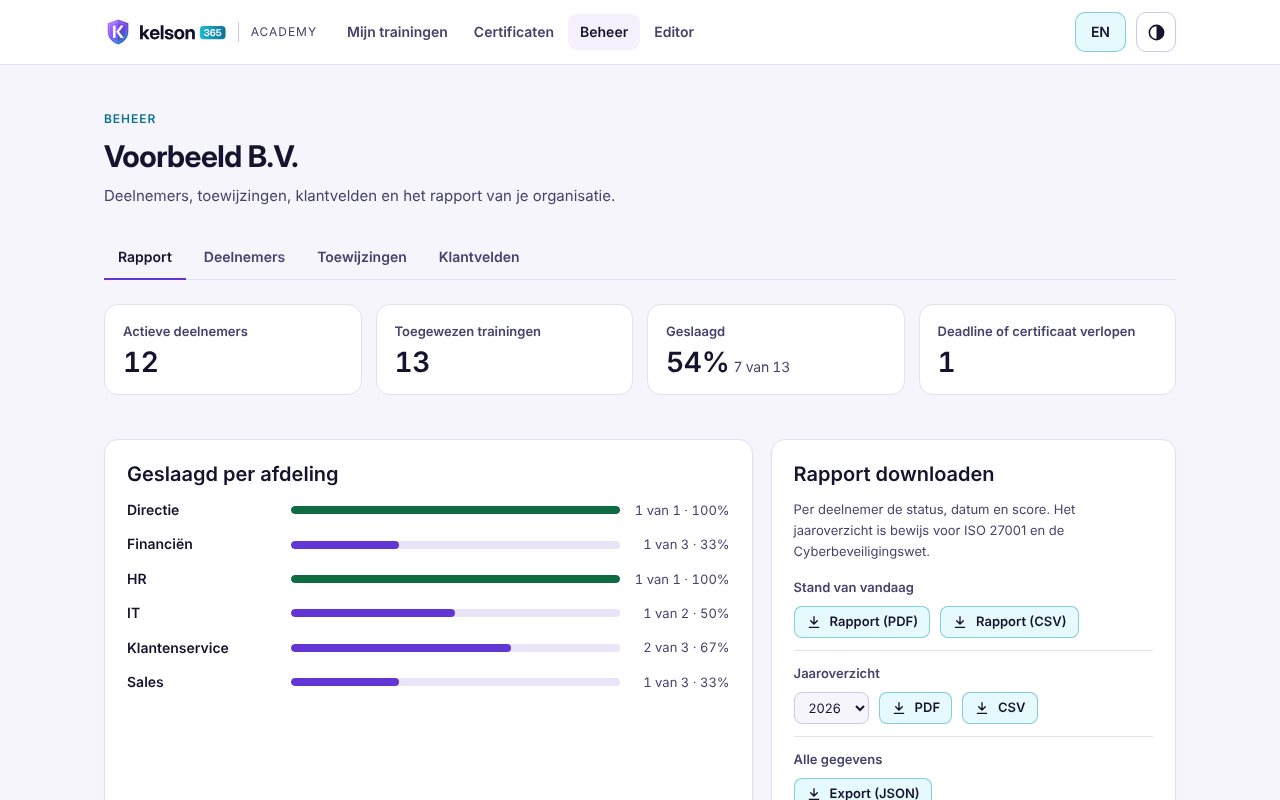
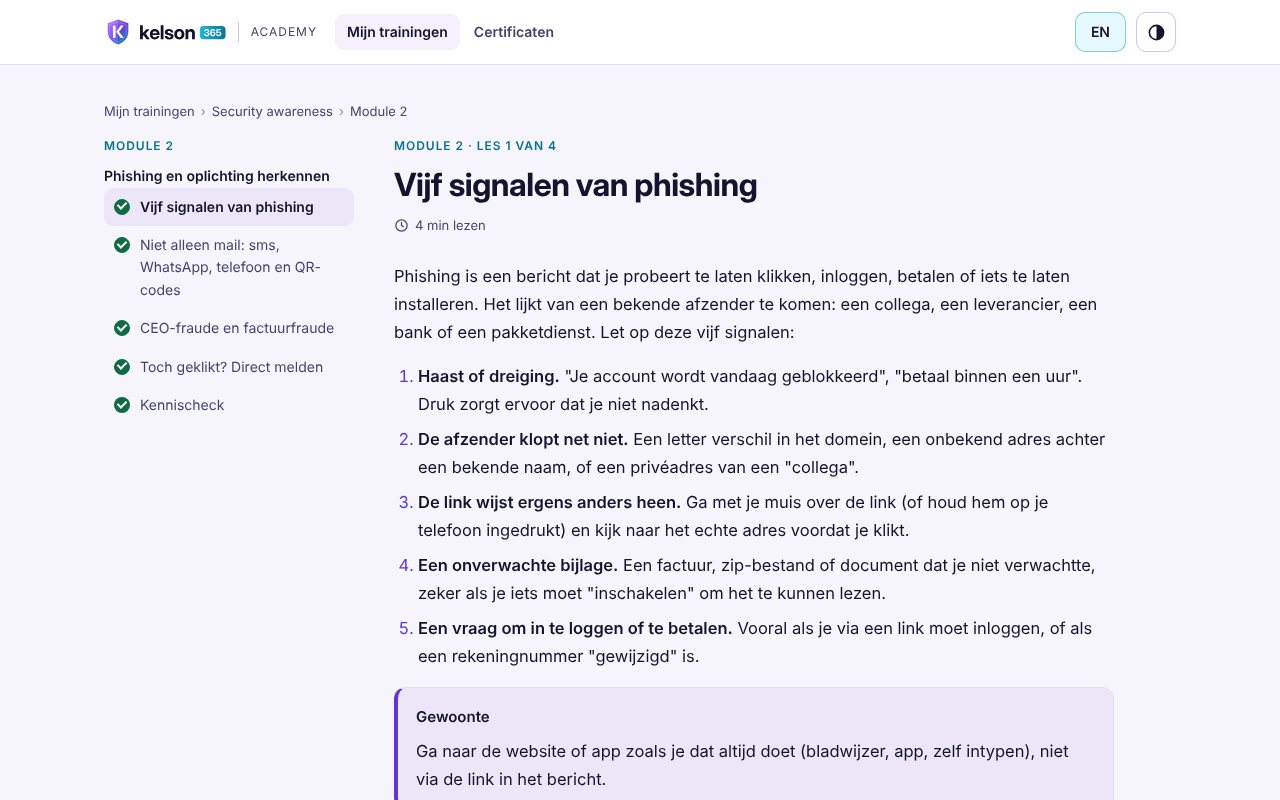
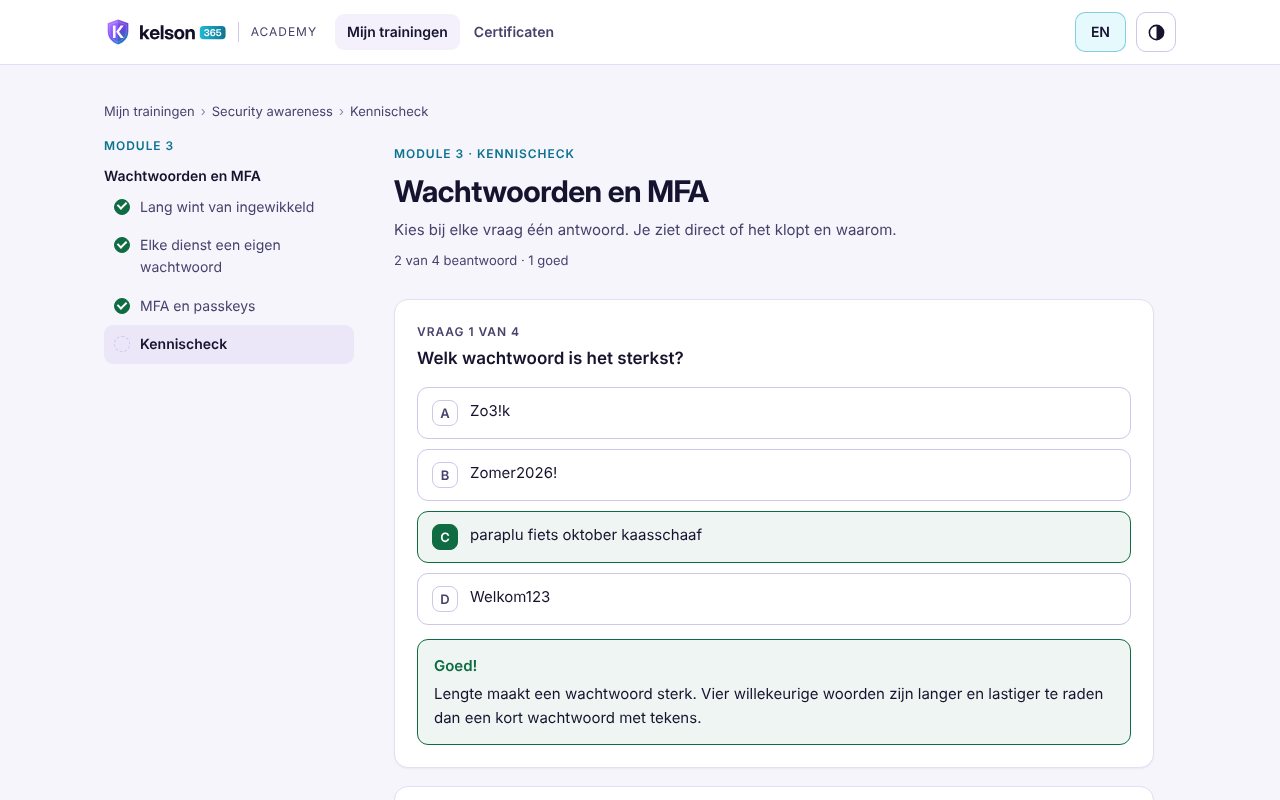
Screens of the learning platform with made-up data for Voorbeeld B.V.: a lesson, a knowledge check and the report for the administrator.

A lesson with the steps of the module next to it
Knowledge check with an explanation of your answer straight away
Report for the administrator: who has passed, per department

Two forms

One platform, used in two ways. The amounts are in your proposal; the from price is shown at the top.

Courses by kelson365

Your staff in the kelson365 academy

  • Learning paths by kelson365, starting with Security awareness
  • Your own environment with your own reporting point and rules
  • Invitations, deadlines and reminders
  • Report and certificates for the audit

Your own learning platform

Your own academy, in your house style

  • Your own address and house style
  • Create courses yourself: lessons, knowledge checks and a final test
  • Invite your staff, customers or members
  • Adding learning paths by kelson365 is possible too
// learning paths

Four learning paths

Each learning path consists of short modules with a knowledge check. Security awareness comes first, followed by Management and governance, Microsoft 365 and Copilot, and Hands-on for IT administration.

Security awareness

All staff · about 75 minutes

  1. Why it concerns you
  2. Recognising phishing and fraud
  3. Passwords and MFA
  4. Sharing and working safely
  5. At home and on the road
  6. Using AI safely
  7. Reporting: better too often than too late

Management and governance

Board and management · about 2 hours

  1. The Cybersecurity Act and duty of care
  2. Risks in plain language
  3. Roles: who decides what
  4. Reading and steering a security roadmap
  5. Incidents and the duty to report
  6. AI governance

Using Microsoft 365 and Copilot safely

Staff and key users · about 90 minutes

  1. Where your work is stored
  2. Sharing with links and guests
  3. Sensitivity labels
  4. Copilot: what it sees and what it doesn't
  5. Good prompts without sensitive data
  6. Cleaning up and retention

Hands-on for IT administration

IT administrators · 6 to 8 hours, in parts

  1. Entra ID: Conditional Access and emergency accounts
  2. Defender XDR: handling incidents
  3. Intune: baseline policies
  4. Purview: labels and DLP
  5. Secure Score as a work list
  6. Logs and Sentinel basics

My approach

  1. Introduction

    My courses, your own learning platform or both? For whom, and with what deadline?

  2. Your own environment

    I set up your environment with your own details: reporting point, report button, IT contact, password manager and approved AI tools. With your own learning platform also your house style and your own address.

  3. Inviting

    Your staff get an invitation, and a reminder as the deadline approaches.

  4. Following and completing

    Short lessons with a knowledge check after each module, a final test and a certificate.

  5. Report

    You see the status and score per employee, and download an annual overview as evidence for an audit.

What you get

  • Security awareness course: seven modules, about 75 minutes in total
  • Or your own learning platform in your house style, with an editor for lessons, knowledge checks and final tests
  • Knowledge check after each module and a final test with a pass mark
  • Certificate as a PDF, verifiable with a code
  • Your own environment with invitations, deadlines and reminders
  • Report per employee and per department, as CSV and PDF
  • Lessons with your own organisation's details
  • The full course again every year, a short refresher every quarter

Ready for AI. In the module Using AI safely your staff learn which AI tools they may use, what they never paste into them, and how to recognise cloned voices and fake videos.

Kelson
// my experience

My experience

In my work I give training, workshops and tabletop exercises on security and Microsoft 365. That experience is in the course material: short, practical and with real-world examples.

// contact

Shall we talk?

Would you like a website, or help with your cloud environment? Request a half-hour introduction and I'll suggest a time. Or send me a message directly.

info@kelson365.com