Support portal
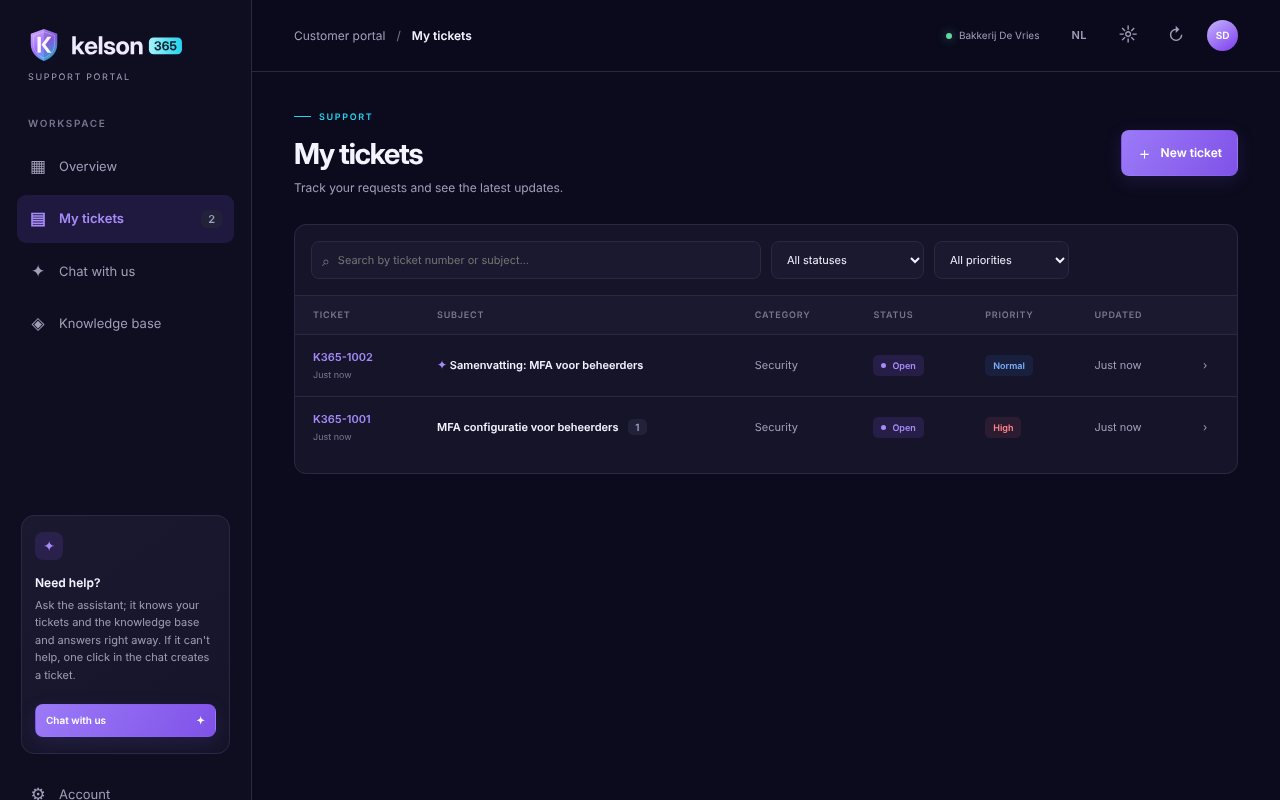
Questions sent by email, WhatsApp and phone get lost. With your own support portal everything is in one place: your customers report and follow their questions, you see what is open, and a knowledge base answers the questions that keep coming back. I use the same portal myself, at support.kelson365.com.
From €2,625 one-off · View pricing
When is this for you?
- Questions arrive by email, phone and WhatsApp all mixed up
- You want to see what is open and how long things take
- The same questions keep coming back
- You don't want a subscription per user
What changes?
- Questions in separate emails and messages
- No overview of what is open
- Answering the same questions over and over
- All questions in one place, with status
- You see what is open and what is urgent
- A knowledge base that answers frequent questions
See it for real
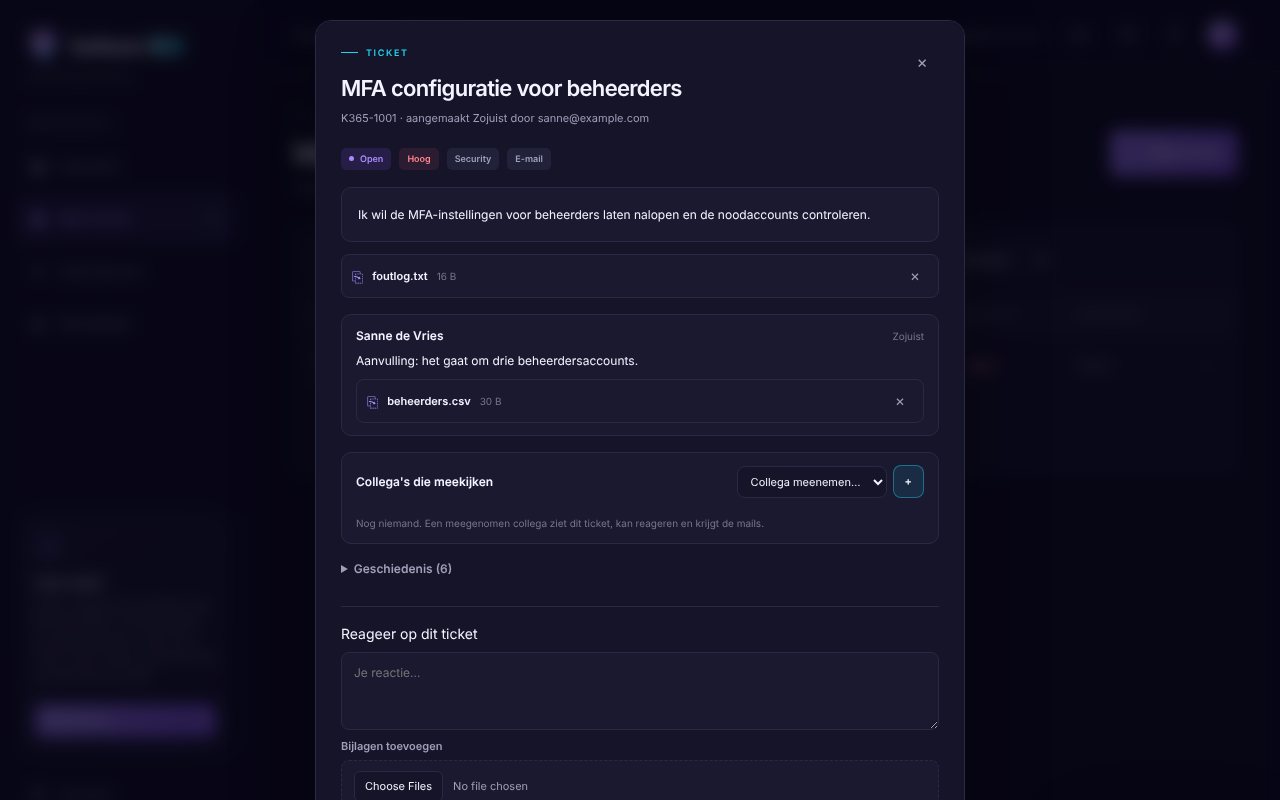
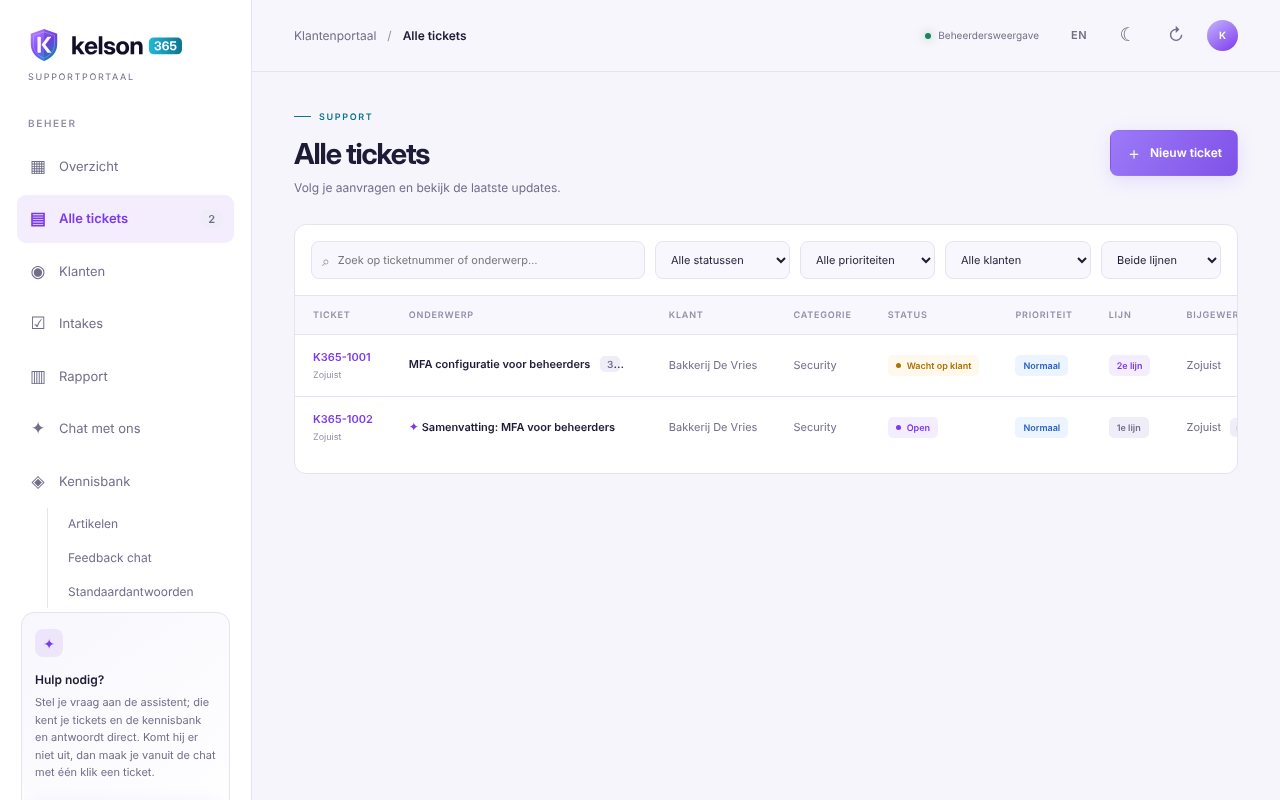
No made-up examples: these are the products as they run for kelson365. The portal screens show fictitious test data (in Dutch; the portal is also available in English).
My approach
Introduction
We discuss who the portal is for, what kinds of questions come in and how you want people to sign in.
Setting up
I set up the portal on your own address, for example support.yourdomain.com, with your logo, colours and categories.
Sign-in and notifications
Sign in with a one-time code by email, sent from your own domain if you like, or with a Microsoft 365 account. Notifications are sent by email.
Filling the knowledge base
We add the first articles, so frequently asked questions have an answer straight away.
Go-live and handover
We go live together and I explain how to manage tickets, customers and articles.
What you get
- Tickets with status, priority and category
- Attachments on tickets and replies
- Knowledge base with articles, also per customer
- AI assistant (Chat with us) that answers from the tickets and the knowledge base
- Email notifications, optionally in Teams as well
- Data stored in the EU
- Dutch and English, light and dark
Ready for AI. The AI assistant in the portal knows that customer's tickets and the knowledge base. If it can't help, your customer creates a ticket with one click. Conversations without a ticket are deleted after 90 days.

My experience
I built this portal myself and use it for kelson365: support.kelson365.com runs on it, with the same knowledge base, AI assistant and notifications.
Shall we talk?
Would you like a website, or help with your cloud environment? Request a half-hour introduction and I'll suggest a time. Or send me a message directly.